 Photoshop
 Maya
Maya ZBrush
 Unreal Engine
 Substance Painter
 Blender
 Nuke
Nuke Arnold
 KeyShot
 V-Ray
V-Ray Substance Designer
 Mari
Mari Marvelous Designer
 Marmoset Toolbag
 3ds Max
 3DCoat
 Redshift
 After Effects
 Faceform Wrap
 Lightroom
 OctaneRender
 SpeedTree
 Daz 3D
 Agisoft Metashape
 Fusion
 Modo
Modo RealityCapture
 Gaea
Gaea Cinema 4D
 Gravity Sketch
 Premiere
 Procreate
 Substance 3D Modeler
 Katana
 Mudbox
 Krita
Krita World Creator
 Yeti
Yeti Ziva VFX
 SketchBook
 Quixel DDO
 Mixamo
 Natron
 Quixel Bridge
 Quixel Megascans
 Adobe Medium
 Quixel Mixer
 SynthEyes
 Clip Studio Paint
 SketchUp
 Unity
Unity Gaffer
 Massive
 Materialize
 Ornatrix
 PreForm
 Corel Painter
 Moi 3D
 QuickTime
 Storyboard Pro
 TreeIt
 animBot
 ReCap
ReCap Meshmixer
 DaVinci Resolve
 World Machine
 xNormal








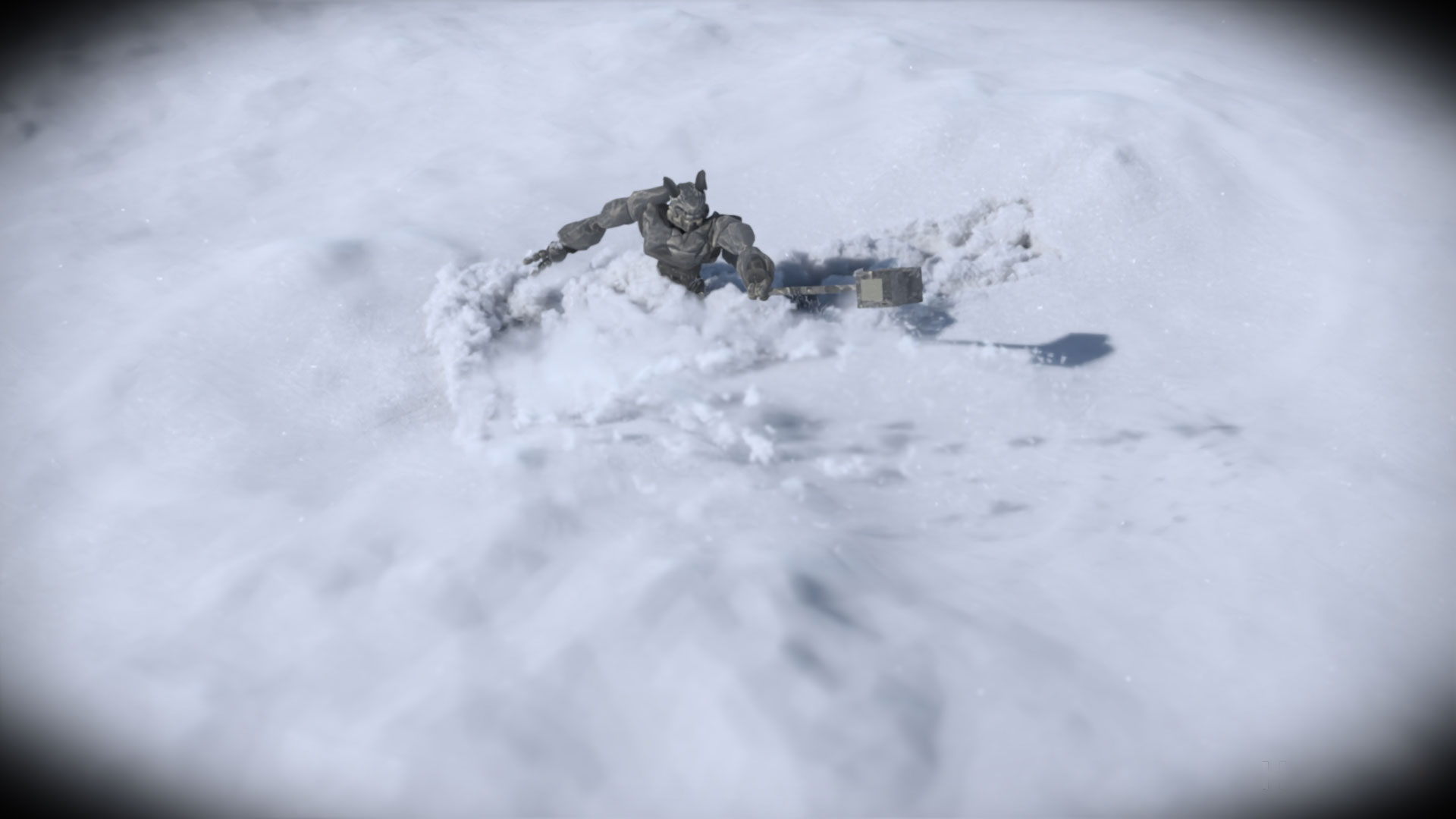


Learn how to use Vellum in Houdini to simulate professional-quality snow interactions. This 6-hour workshop is created for intermediate-level artists looking to expand their FX skills. Diego de Mendizabal, a Lead/Senior FX TD at Sony Pictures Imageworks, demonstrates how to use Vellum to simulate snow and shares Pyro and POP tips and tricks for generating secondaries, and briefly touches on Solaris, Karma, and Houdini's own compositing tools for shading and rendering snow.
Artists will learn tips and techniques to art-direct snow simulations using constraints and attributes.
By completing the workshop, artists will develop a solid grasp of how to use Vellum and its tools to create snow/mud/sand simulations with an iterative, art-directable approach. Diego also talks through typical problems that artists may encounter, how to troubleshoot and solve them, and ways to optimize the setup for minimal data and simulation time footprints.
In the second half of the workshop, Diego teaches how to set up and add secondary elements to the main simulation to enhance its appearance and gain more control over it. He then covers how to shade and render these elements in Houdini's lighting toolkit, Solaris, as well as how to set up Karma renders and use its live viewport rendering capabilities.
To make this workshop easily accessible to artists, everything is built in Houdini, including all assets used (minus the featured free-to-use .hdr light probes), so there will be no need to use other content creation packages or download separate models and files. Project files for this workshop are provided by Diego as an additional learning resource.
9 Lessons
This first lesson in Diego de Mendizabal's workshop discusses the critical importance of studying real-world references before attempting to recreate natural phenomena in VFX. Diego demonstrates how convincing snow simulation requires understanding and replicating multiple simultaneous behaviors, from fine particulate matter to cohesive chunks, rather than treating snow as a single uniform material. This foundational analysis will be helpful when tackling the technical setup in the following lessons.
Duration: 13m 4s

This foundational lesson establishes key production practices for building professional VFX setups in Houdini. Diego demonstrates why successful simulation work relies heavily on proper preparation, organization, and workflow design rather than technical knowledge alone. By emphasizing naming conventions, modular design, and art-directable parameters, this lesson prepares artists for real-world production environments where setups must be maintained and used by multiple team members over extended periods.
Duration: 38m 50s

This lesson explores the foundation for a sophisticated Vellum grain snow simulation by showing how to properly set up point sources, collision geometry, and layered physical properties. Diego emphasizes how to break complex effects into manageable components and use optimization strategies to efficiently handle heavy geometry calculations. His systematic approach creates a solid base for developing realistic snow interactions with characters and environments.
Duration: 52m 33s

This lesson covers a foundational workflow for creating Vellum grain simulations in Houdini, showcasing the importance of proper solver configuration and collision setup. Diego explains why many Vellum parameters are sensitive and can cause simulations to explode if pushed too far, making conservative adjustments and thorough testing essential. The next steps will involve low-resolution testing and increasing the complexity of the simulation setup.
Duration: 29m 15s

This lesson demonstrates a systematic approach to creating realistic snow simulations in Houdini, emphasizing the importance of proper constraint setup and troubleshooting techniques. Diego shows how to build from basic particle systems to complex clustered behavior that mimics real snow's tendency to form chunks while maintaining the ability to break apart under force. His workflow provides a solid foundation for creating believable snow effects that can be scaled up for production-quality results.
Duration: 45m 1s

This lesson discusses the importance of proper preparation and optimization when creating secondary simulations in Houdini. Diego explains why investing time in creating high-quality source volumes and in understanding the relationship between particle data and volume fields will yield more realistic dust effects and reduce troubleshooting later in the process. His approach of starting with lower resolution settings and gradually increasing detail provides a practical workflow for production environments.
Duration: 31m 48s

This lesson demonstrates a practical, production-oriented approach to creating secondary dust and particle effects in Houdini. Diego emphasizes the importance of understanding parameter relationships through experimentation rather than simply copying values, and provides essential optimization techniques to manage the computational demands of volume and particle simulations. His workflow establishes a solid foundation for creating realistic environmental effects that can be scaled up for final production renders.
Duration: 43m 46s

This comprehensive lesson establishes a robust foundation for rendering realistic snow simulations in Houdini. The volumetric approach, combined with gradient fields and real-time GPU rendering, creates an efficient workflow that balances visual quality with performance. Diego emphasizes the importance of proper volume limits and lighting setup to achieve bright, convincing snow while maintaining reasonable render times, setting up the groundwork for the next lesson on AOV setup and compositing.
Duration: 1h 14m 24s

This final lesson provides an overview of render-layer workflows in Karma, demonstrating how breaking down renders into component passes enables significantly greater control in post-production. While the concepts shown are fundamental, Diego emphasizes that these techniques can be applied across different compositing packages and encourages experimentation to develop personalized workflows. His combination of a proper AOV setup and thoughtful compositing opens up creative possibilities beyond what's achievable with a single beauty pass.
Duration: 36m 59s

Primary tools
For this workshop you’ll need:

* Note that these programs and materials will not be supplied with the course.
Project Files
When you download the project files accompanying this workshop, you'll get access to Diego's main Houdini file, including the assets used in the workshop. Inside, you'll find:
- Houdini project file (.hipnc) – The main Houdini file used in the workshop
- High-resolution textures (.exr) – Detailed texture maps featured in Diego's workflow
Skills Covered
Who’s this Workshop for?
This workshop is designed for intermediate-level FX artists and technical directors who want to expand their simulation skills and knowledge using Houdini. It's ideal for professionals in VFX, animation, or game development with basic Houdini knowledge who want to master professional snow-simulation techniques.
Junior artists looking to advance their FX capabilities will also benefit significantly from Diego's comprehensive training. His workshop provides valuable insights into industry-standard workflows, troubleshooting methods, and optimization techniques that are essential for production environments, making it ideal for anyone seeking to enhance their technical artistry skills.
Learning Outcomes
By completing this workshop, artists will have developed a comprehensive understanding of Vellum-based snow simulations and professional FX workflows in Houdini.
Key skills include:
- How to set up and configure Vellum systems in Houdini for realistic snow simulation FX.
- How to art-direct snow simulations using constraints and custom attributes.
- How to troubleshoot common simulation problems and optimize setups for efficient workflows.
- How to create secondary elements using Pyro and POP systems to enhance simulation realism.
- How to implement professional shading and lighting techniques using Solaris and Karma.
- How to utilize Houdini's compositing tools for final snow simulation rendering and post-processing.
- How to build iterative, art-directable simulation setups that minimize computation requirements.